Designing a document signing MVP platform
Client
Early-stage SaaS
Industries
B2B SaaS / e-Signature
Services
Discovery & Strategy
Product Design
Design Leadership
Timeline
6 months
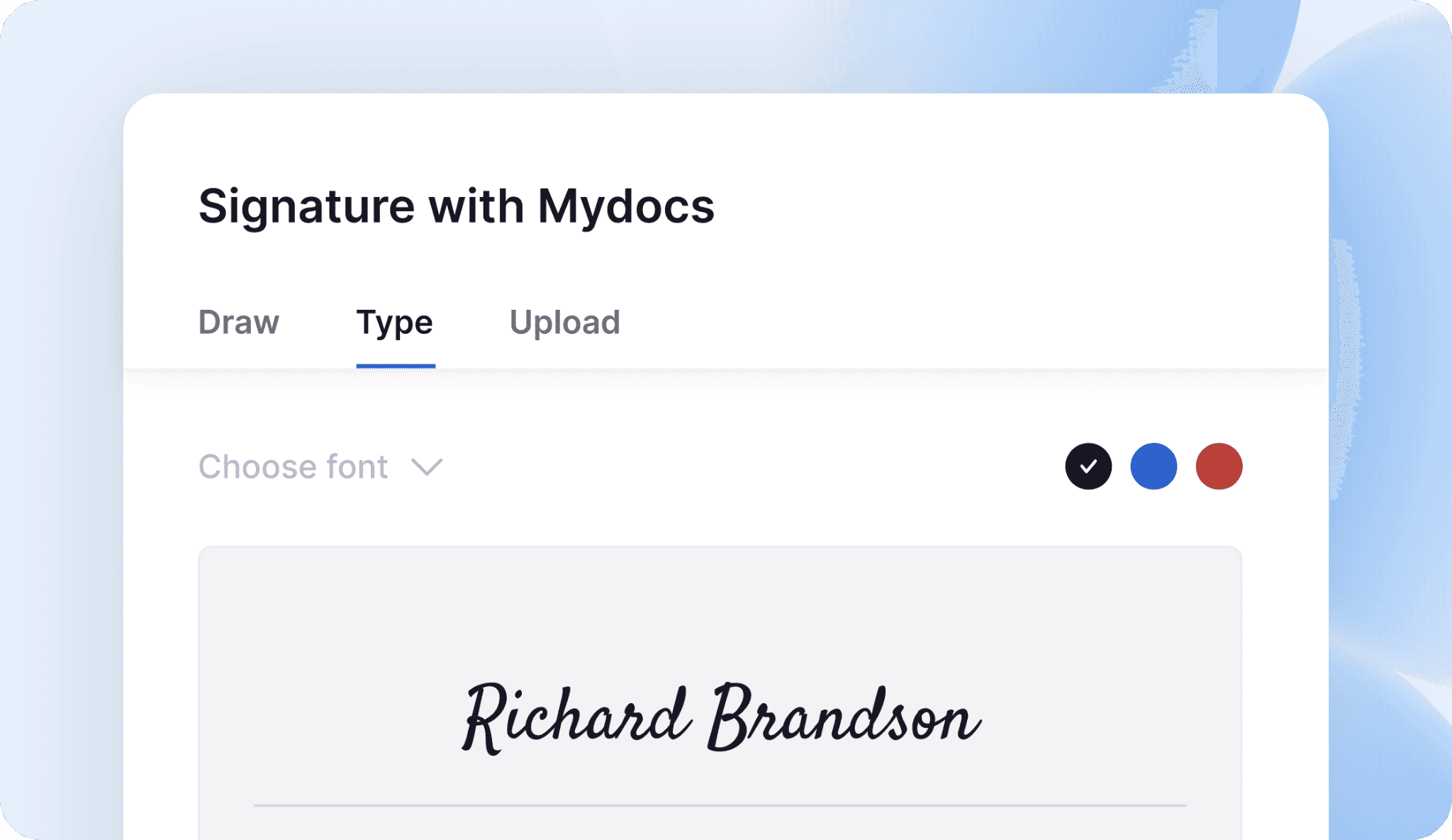
The client came with a working idea, a document signing service for teams working with external counterparties. The question was whether the workflow would match how people actually operate in practice.
Instead of a formal discovery phase, I structured the problem space from first principles: who sends documents, who receives them, and where the process breaks down for each.
Two fundamentally different mental models

Sender
They work on the desktop and manage multiple active deals simultaneously. A document is not a goal, it's a blocker of the process. The deal can't move forward until it's signed.
Documents get stuck, and the sender only finds out after the deadline.
Signer
External users, who don't know the product. Received a link via email. Signing this document is a small task, and they want to complete it in under a minute and move on.
Signers need to review quickly and sign before the deadline.
Knowing the mental models, I identified the major Jobs to Be Done for future customers. I validated the list through a survey with 12 participants.
I started exploration based on the research findings with a clear goal of creating a familiar layout for lawyers that optimizes efficiency. Initial hypothesis was a simple flat layout. After unmoderated usability testing, an alternative folder-based structure proved more intuitive.
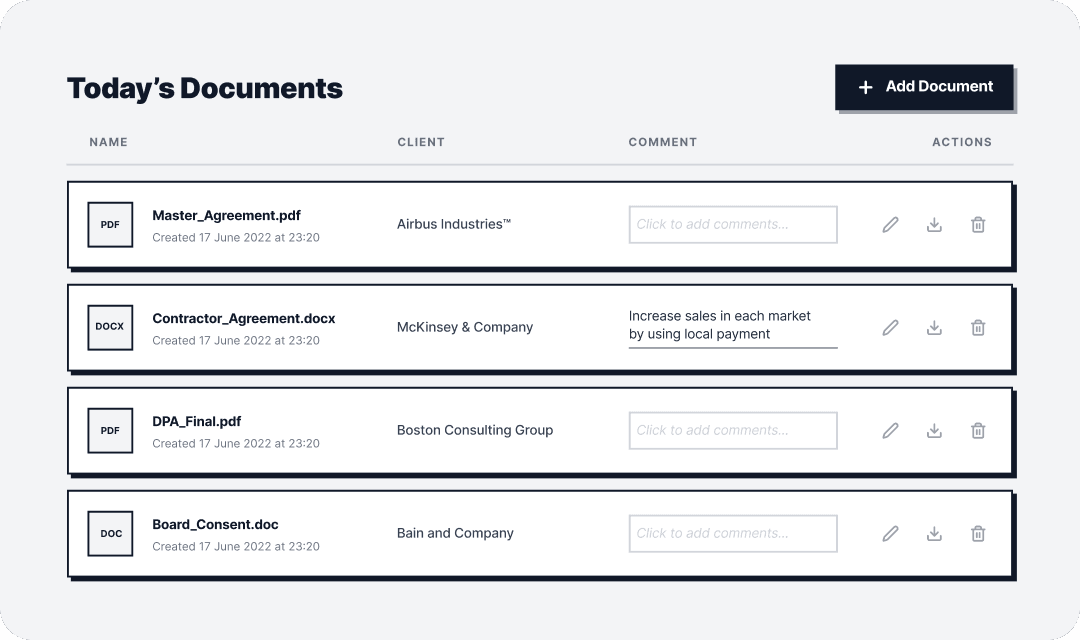
Initial hypothesis
Horizontal grid
Cards are arranged in a flat grid. Visually rich, works well for small collections, each document feels like an object. The problem: doesn't scale. With 20+ documents, the grid becomes visually noisy, and scanning for a specific file becomes slow.
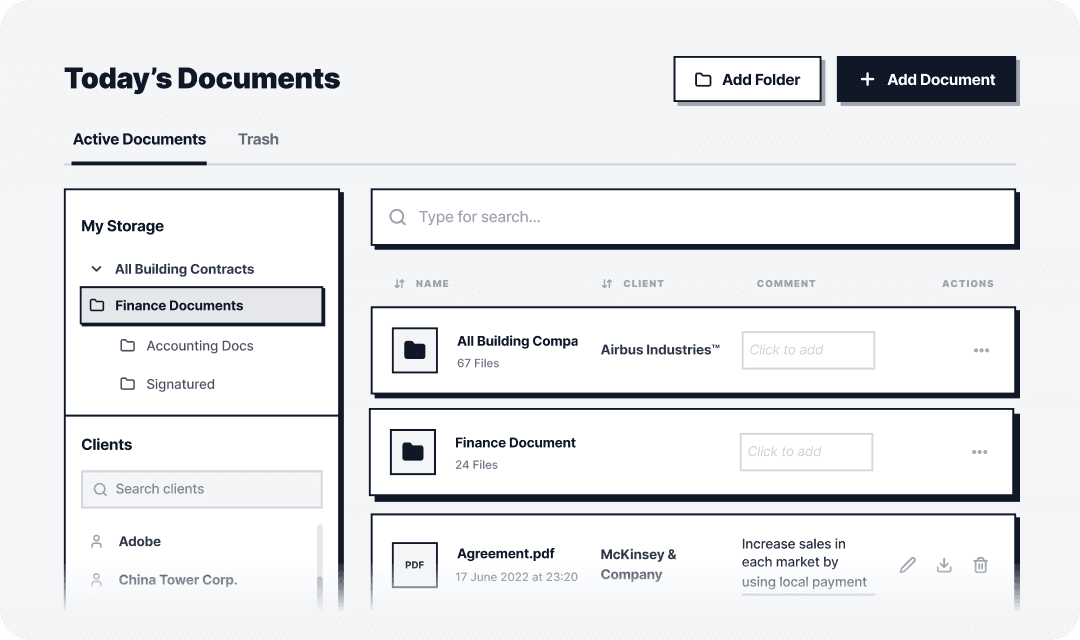
Validated solution
Folder-based structure
Folders and files in a hierarchical list. Scales cleanly, familiar mental model from file systems, faster to scan at volume. Successfully passed unmoderated usability testing on task completion speed.
Familiar structure for document-heavy workflows
The dashboard gives senders a full picture at a glance: active documents, client associations, and quick actions in one view. Folder-based navigation and client search sit in a persistent left panel, keeping the workspace organized as document volume grows.
The signing process
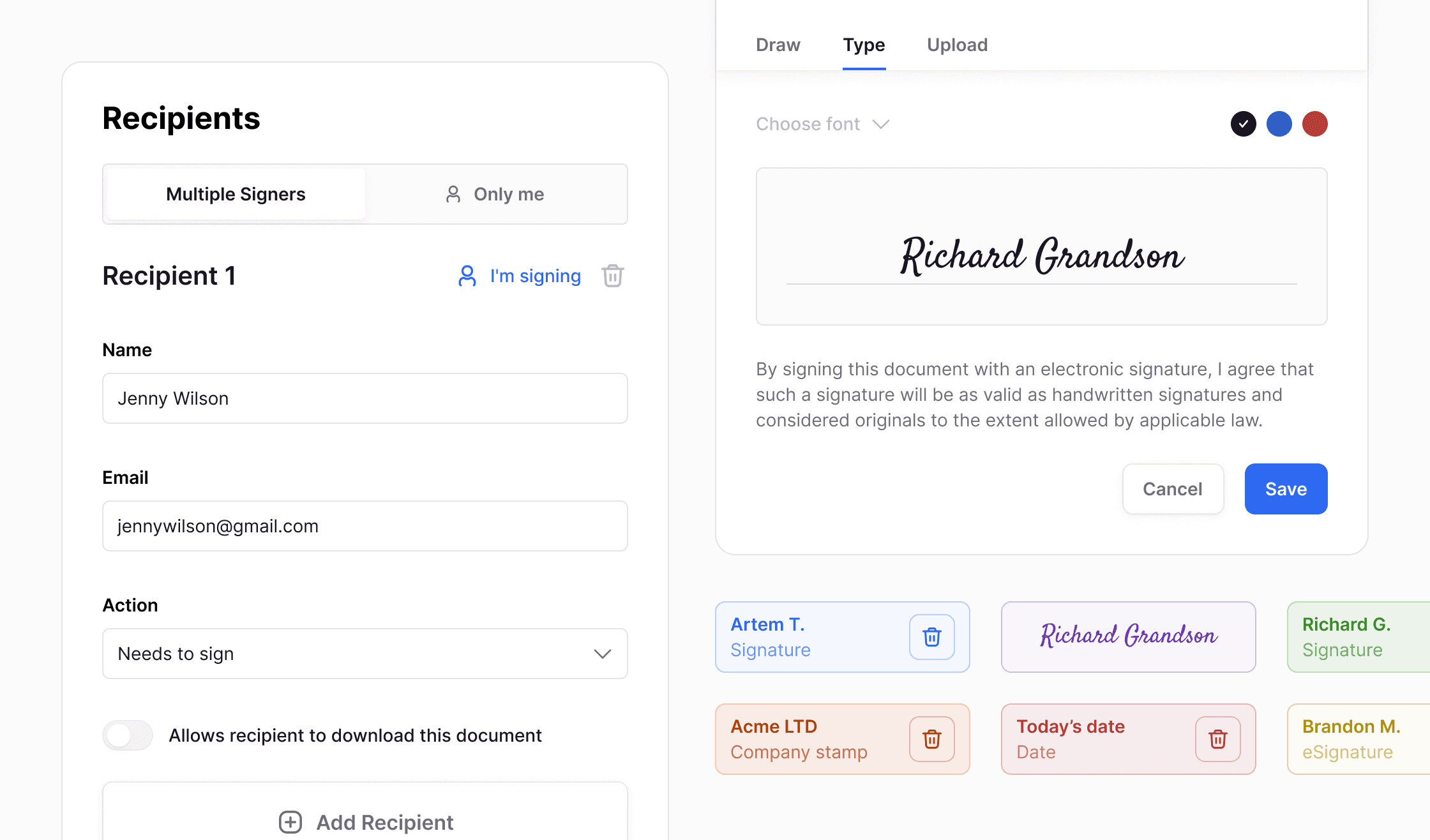
The sender creates a document and assigns recipients. Each signer receives an email with a magic link to review and sign without registration. Color-coded placeholders make it immediately clear what type of input each party needs to provide: signature, company stamp, or date. The flow tested as straightforward with a high success rate.
Zero friction for the Signer
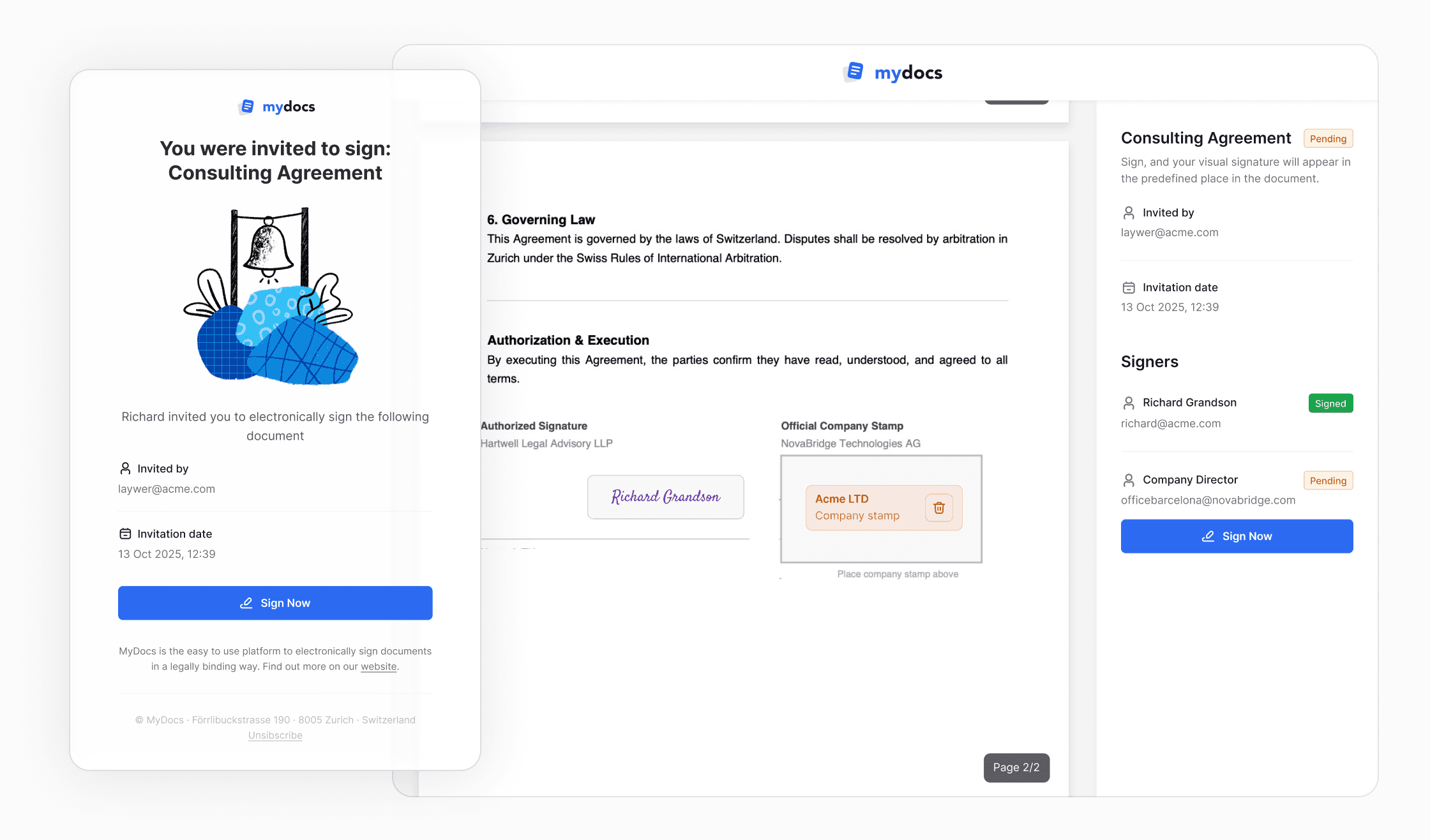
The Signer receives an email with a single CTA. They land on a page with the document, the name of who invited them, the date, and one button. Everything happens without registration and complex navigation, with a placeholder for signing or stamping.
Delivery
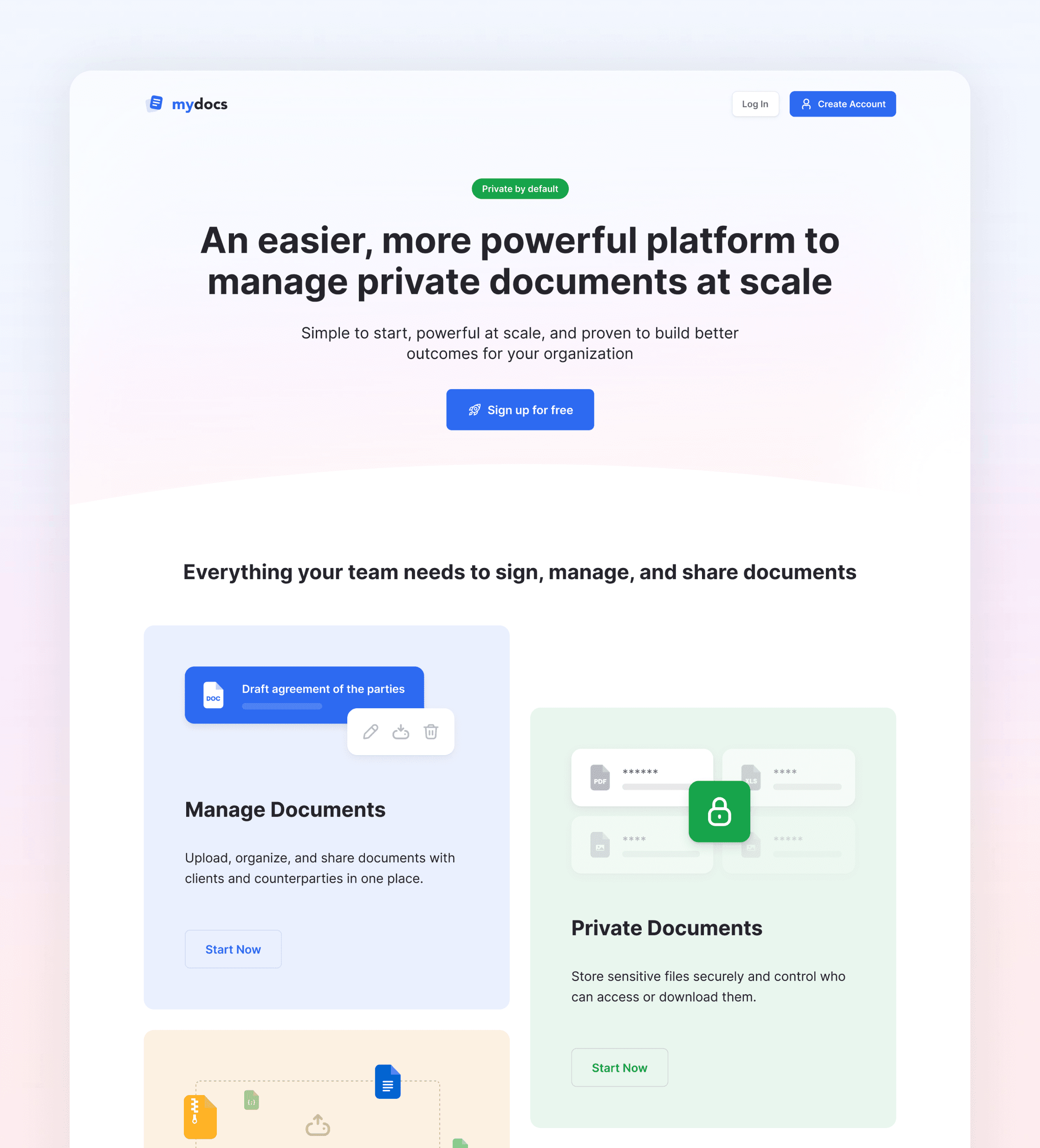
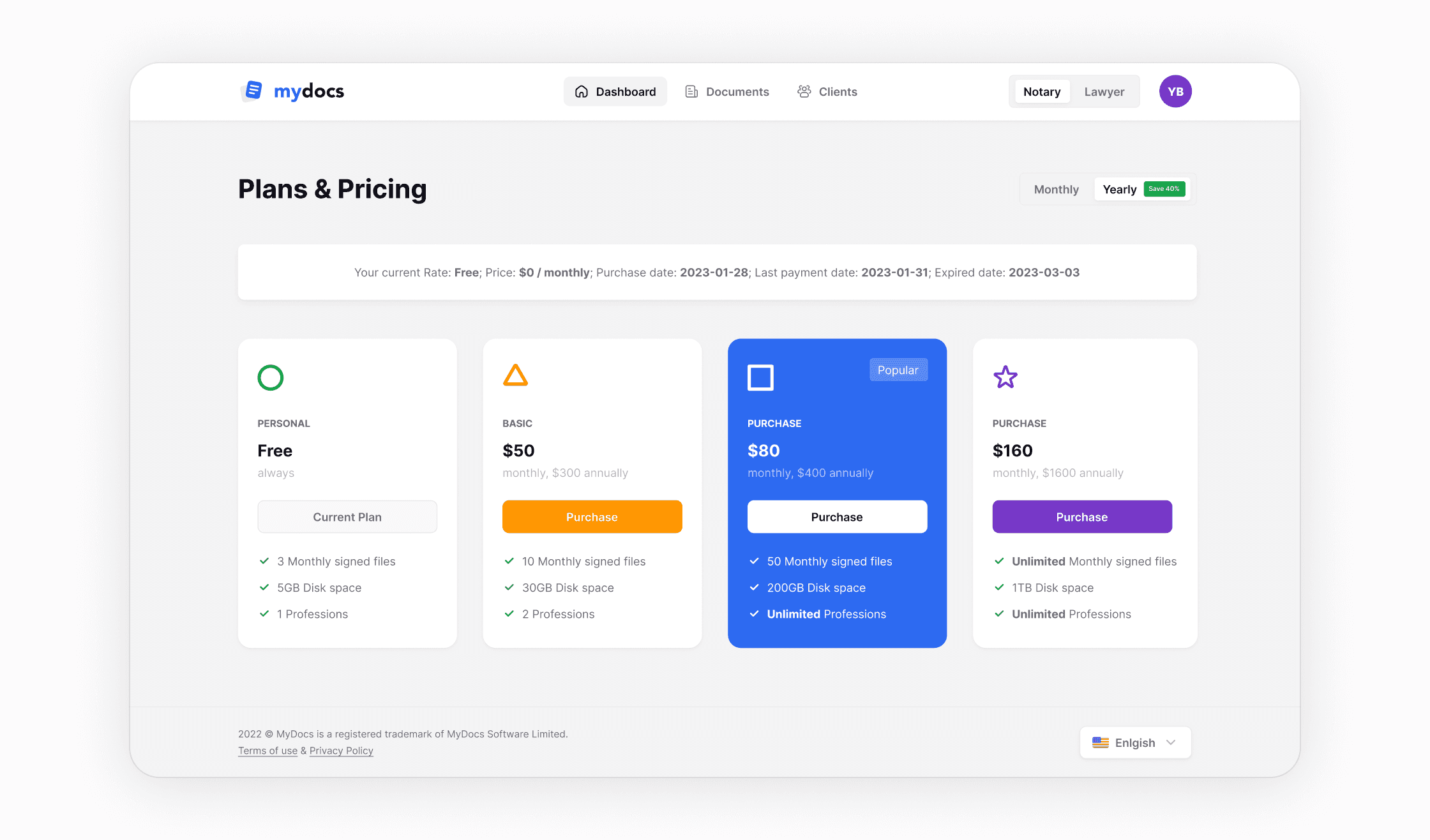
Full product designed and planned from zero: Sender dashboard, document management with folder structure, recipient configuration, signature placement interface, signer flow, signature creation modal (draw / type / upload), real-time signing status, landing and pricing pages, perfect cards to promote features, and a complete set of transactional emails covering every state in the signing lifecycle.
75% activation rate
Users completed the core job of creating documents and sent them for signing, not just explored the tool.
83 SUS score
Measured via a standard 10-question survey. Above the B2B software benchmark of 68.
The product is live. The share of created documents that were actually sent for signing reached 75% as a core activation metric, indicating that users weren't just exploring the tool but completing the core job it was built for. SUS score measured at 83, above the B2B software benchmark.